Traveling internationally shouldn't mean worrying about your phone bill when you return home.
Whether you're heading to Turkey for a weekend, exploring Europe, or traveling across several countries, your smartphone may connect to foreign mobile networks as soon as you arrive.
That connection can be convenient, but it can also lead to unexpected roaming charges if your home mobile plan doesn't include international usage.
The good news is that you can take control of your mobile data before leaving home.
This guide explains how international roaming charges work, how to prevent them on iPhone and Android, and how a travel eSIM can help you stay connected abroad.
To reduce the risk of unexpected roaming charges while traveling:
A travel eSIM can provide a separate data connection without requiring you to remove your existing SIM card.
However, turning off Data Roaming alone does not prevent every type of roaming charge.
International roaming occurs when your mobile phone connects to a network outside your home carrier's normal coverage area.
For example, if your regular mobile subscription is from the UAE and you travel to Turkey, your phone may connect to a Turkish mobile network through your home carrier's roaming agreements.
Depending on your subscription, your home carrier may charge for:
Charges depend on your carrier, destination, subscription, and any international roaming packages you have activated.
Some plans include roaming benefits. Others charge separately for usage abroad.
Your phone is designed to maintain connectivity when a compatible mobile network is available.
When you leave your home country, your regular SIM may register on a foreign partner network.
If your home carrier permits international roaming, certain services can continue working through that network.
For example, your phone might:
Some of these activities can generate charges even when you aren't actively using your phone.
The exact charges depend on your home carrier's rules.
A few settings and preparations can make a significant difference.
Before departure, review your mobile subscription.
Find out whether international roaming is enabled, which destinations are included, and whether your plan offers roaming allowances.
Pay particular attention to cellular calls, SMS, and mobile data because they may be billed differently.
If you want to eliminate the possibility of chargeable roaming through your home SIM, ask your carrier about disabling international roaming services at the account level.
Disabling Data Roaming on your regular SIM helps prevent that line from using mobile data through foreign networks.
This is one of the most important settings to check before traveling.
However, your home SIM may still connect to a foreign network for calls and SMS.
Data Roaming OFF does not necessarily mean all roaming services are disabled.
A travel eSIM provides a separate mobile data subscription for your destination.
Instead of relying on your home carrier's international data roaming service, you can select the travel eSIM for mobile internet access.
Figabytes offers country, regional, and global travel eSIM options for supported destinations.
You can review the available plans and prepare your eSIM before departure.
Some dual-SIM smartphones can switch between mobile data subscriptions automatically.
If your phone switches back to your home SIM while abroad, that could create unwanted roaming usage when home-line roaming is permitted.
For greater control, disable automatic mobile data switching and manually select your travel eSIM as the data line.
Smartphones use mobile data for more than browsing and messaging.
Background activities can include:
You can reduce unnecessary data consumption by limiting background activity and using Wi-Fi for larger downloads.
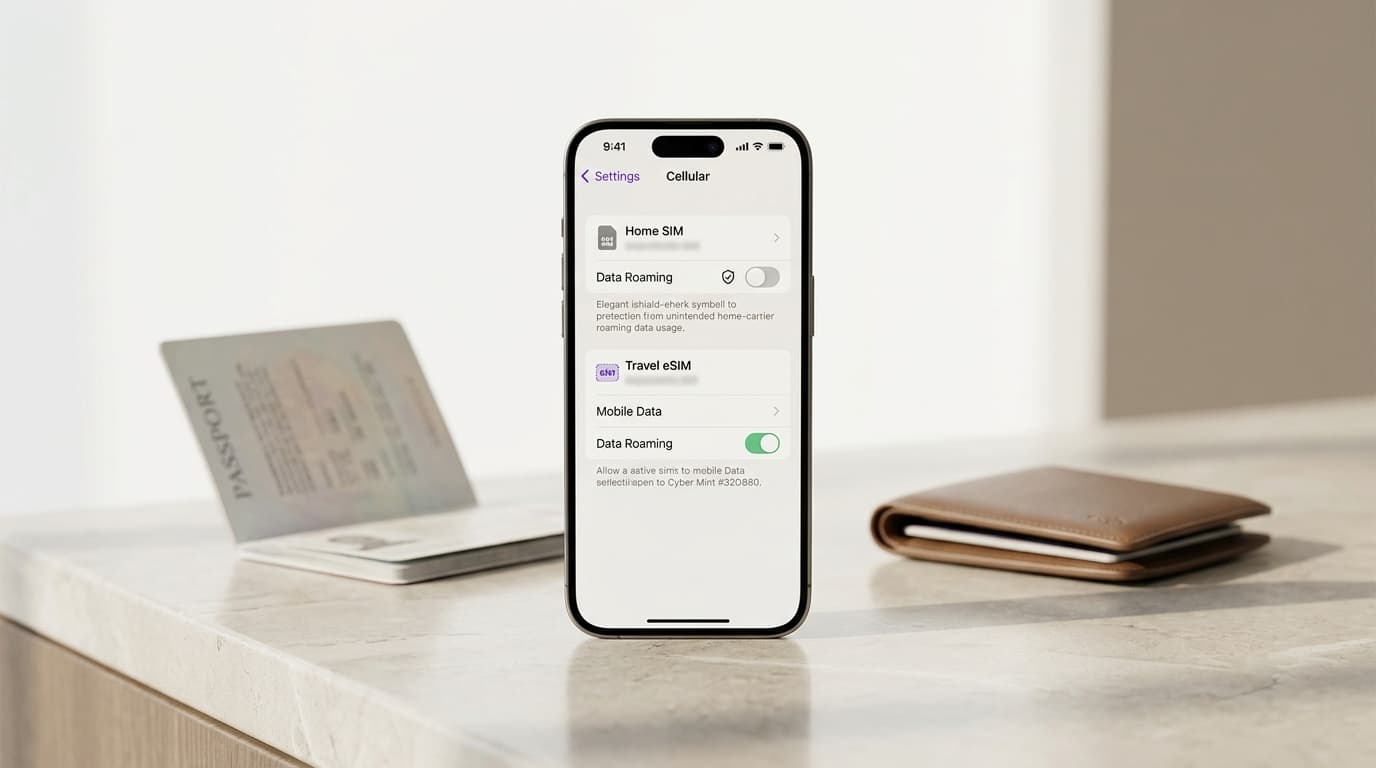
If your iPhone supports Dual SIM with eSIM, you can configure your home SIM and travel eSIM separately.
Go to:
Settings > Cellular
Depending on your region, the menu may be labeled Mobile Data or Mobile Service.
Choose your regular mobile line.
Open its data roaming settings and turn Data Roaming OFF.
Open your Figabytes eSIM settings.
Ensure the line is enabled when you're ready to use it.
Some travel eSIM plans require Data Roaming ON for the travel eSIM to connect through supported partner networks.
Follow your plan's installation and activation instructions.
Return to Cellular settings and select Cellular Data.
Choose your Figabytes travel eSIM as the preferred data line.
If the Allow Cellular Data Switching option appears, turn it OFF.
This helps prevent your iPhone from automatically using another line for mobile data.
Your default voice line controls which number is used for regular cellular calls unless you select another line.
If your home SIM remains enabled, regular calls may still incur roaming charges.
Check your home carrier's policy before making or answering calls abroad.
Menu names and options may vary by iPhone model and software version.
On compatible Samsung Galaxy devices, you can manage mobile subscriptions through SIM Manager.
Go to:
Settings > Connections > SIM Manager
Confirm which subscription is your regular home SIM and which is your Figabytes travel eSIM.
Under the preferred SIM settings, select the travel eSIM for mobile data where your device offers this option.
Disable Data Roaming for your home SIM if your device provides separate roaming controls.
Enable Data Roaming for the travel eSIM when required by its plan instructions.
Some devices use a shared Data Roaming control rather than independent controls for each line.
If you cannot control roaming separately, do not assume the home line is protected simply because the travel eSIM is selected for data. Consider disabling the home SIM or requesting a roaming block from your home carrier.
If your device supports automatic data switching, disable it when you want to keep mobile data on your travel eSIM.
Settings vary by device, region, carrier, and software version.
Compatible Android smartphones also support managing multiple SIM subscriptions.
Go to:
Settings > Network & Internet > SIMs
Review its roaming settings and turn roaming off where available.
Enable the travel eSIM and configure roaming according to the plan instructions.
Choose the Figabytes eSIM as your preferred mobile data subscription.
Disable automatic mobile data switching where supported.
Exact menu labels may vary by Android version and device model.
Yes, in some circumstances, but keeping your home SIM active does not automatically guarantee that you won't be charged.
Many travelers keep their regular SIM enabled to receive verification messages or remain reachable on their usual number.
With a compatible dual-SIM smartphone, you may be able to:
However, regular cellular calls and certain SMS services may still generate charges depending on your home carrier.
For stronger protection, you can disable your home SIM entirely or request an international roaming block.
Disabling the home SIM means you may not receive calls or verification messages through that number until you enable it again.
No.
Turning off Data Roaming helps prevent mobile data roaming through the selected subscription.
It does not necessarily block:
Some carriers also have special billing rules for voicemail and call forwarding.
To understand exactly which services can generate charges, review your carrier's roaming terms.
Airplane Mode disables cellular radio connectivity, although some wireless functions can be enabled separately.
With cellular connectivity disabled, your phone cannot use a foreign cellular network through your home SIM.
You can usually turn Wi-Fi back on while keeping Airplane Mode enabled.
This allows you to use internet-based applications over Wi-Fi.
However, a travel eSIM also requires cellular connectivity, so you cannot use its mobile data connection while the cellular radio remains disabled.
Airplane Mode is useful when you want to avoid cellular roaming entirely and rely on Wi-Fi.
Wi-Fi Calling allows supported cellular services to operate over Wi-Fi.
Whether calls or messages are charged depends on your carrier's Wi-Fi Calling policy, your location, and the destination being contacted.
Do not assume Wi-Fi Calling is always free while traveling.
Internet-based calling through messaging applications works differently from carrier Wi-Fi Calling and generally uses an internet connection rather than traditional cellular calling minutes.
Check your carrier's terms before relying on Wi-Fi Calling abroad.
A travel eSIM provides a separate data subscription for your destination.
This allows you to use mobile internet without relying on your home carrier's international data roaming service.
For example, while visiting Turkey, you could configure your phone as follows:
| Setting | Home SIM | Figabytes Travel eSIM |
|---|---|---|
| Line enabled | Optional | Yes |
| Mobile data | Not selected | Selected |
| Data Roaming | Off | On if required |
| Cellular calls | Subject to home carrier charges | Usually data-only |
| Internet-based messaging | Uses selected data connection | Provides data connection |
This setup can reduce the risk of unwanted home-carrier data roaming.
It does not prevent charges from calls or SMS made through your home SIM.
This is an important distinction.
For your home SIM, Data Roaming is generally best kept OFF when you don't intend to use your home carrier's roaming data.
For your travel eSIM, Data Roaming may need to be ON.
Many travel eSIMs connect through local partner networks using roaming agreements. The roaming setting enables the travel eSIM to access those networks.
The key is selecting the correct subscription for mobile data and following the instructions for that specific plan.
Turning off Data Roaming for both lines may prevent your travel eSIM from connecting.
Yes.
There are several ways to reduce or avoid international roaming usage.
You can disable cellular connectivity and rely on Wi-Fi at your accommodation or other locations.
This works well for travelers who don't need mobile internet while moving between places.
A local SIM can provide connectivity through a mobile operator at your destination.
However, purchasing one may require visiting a retailer, completing identity verification, or replacing your existing SIM.
Some home mobile subscriptions include international roaming benefits.
Check the included destinations, usage limits, and service conditions before departure.
Turning off your home SIM can help prevent it from connecting to foreign mobile networks.
You can then use another supported subscription or Wi-Fi for connectivity.
If you discover that your home SIM has been using roaming data, take action promptly.
Remember that mobile usage reports and carrier billing systems may not update immediately.
Even experienced travelers can overlook certain settings.
Installing a travel eSIM does not always make it the active data subscription.
Check which SIM your phone is actually using.
Your phone may switch subscriptions when the preferred data line has limited connectivity.
Disable switching if you want strict control over which line provides mobile data.
Calls and SMS may still be available through your home SIM.
Check the carrier's charges before using them.
Some travel eSIMs require Data Roaming to be enabled.
Follow the specific plan instructions.
Installing an eSIM and activating its validity period are not always the same event.
Review your plan's activation conditions before traveling.
The strongest approach is to have your home carrier block chargeable international roaming services or disable your home SIM while abroad. You can use a separate travel eSIM for mobile data or rely on Wi-Fi. Confirm your carrier's policies to understand any remaining charges.
You generally should not incur ordinary mobile data roaming charges through a line with Data Roaming disabled, but regular cellular calls, SMS, or other services may still generate charges.
Yes, on compatible dual-SIM devices. Select the travel eSIM for mobile data and review the home SIM's roaming settings. Keeping your home SIM enabled can still allow chargeable voice or SMS activity.
Some Figabytes travel eSIM plans require Data Roaming to be enabled to connect through supported local partner networks. Follow the installation instructions for your specific plan.
Receiving ordinary SMS messages may be free with some carriers, but policies differ. Verify your home carrier's terms before relying on SMS while abroad.
Yes. WhatsApp can work through a travel eSIM or Wi-Fi connection. Your registered WhatsApp number normally remains unchanged.
Turning off mobile data prevents ordinary cellular data usage, but it does not necessarily block roaming calls or SMS.
Yes. You can use Wi-Fi or a compatible travel eSIM instead of your home carrier's roaming data service. A carrier-unlocked, eSIM-compatible device is required for a travel eSIM.
No. A travel eSIM provides a separate data connection but does not automatically block calls, SMS, or other chargeable services on your home SIM.
Avoiding international roaming charges starts with understanding which mobile subscription your phone is using.
Before departure, check your home carrier's roaming policy, review your smartphone settings, and decide how you'll access mobile data abroad.
A travel eSIM can provide a convenient alternative to using your home carrier's international data roaming service.
With the correct setup, you can keep mobile data on your travel eSIM while reducing the risk of unexpected charges from your home subscription.
Figabytes offers travel eSIM options for supported destinations, helping travelers prepare their connectivity before departure.
Carrier charges, device settings, and eSIM activation requirements vary. Always verify the conditions applicable to your device and subscription.

