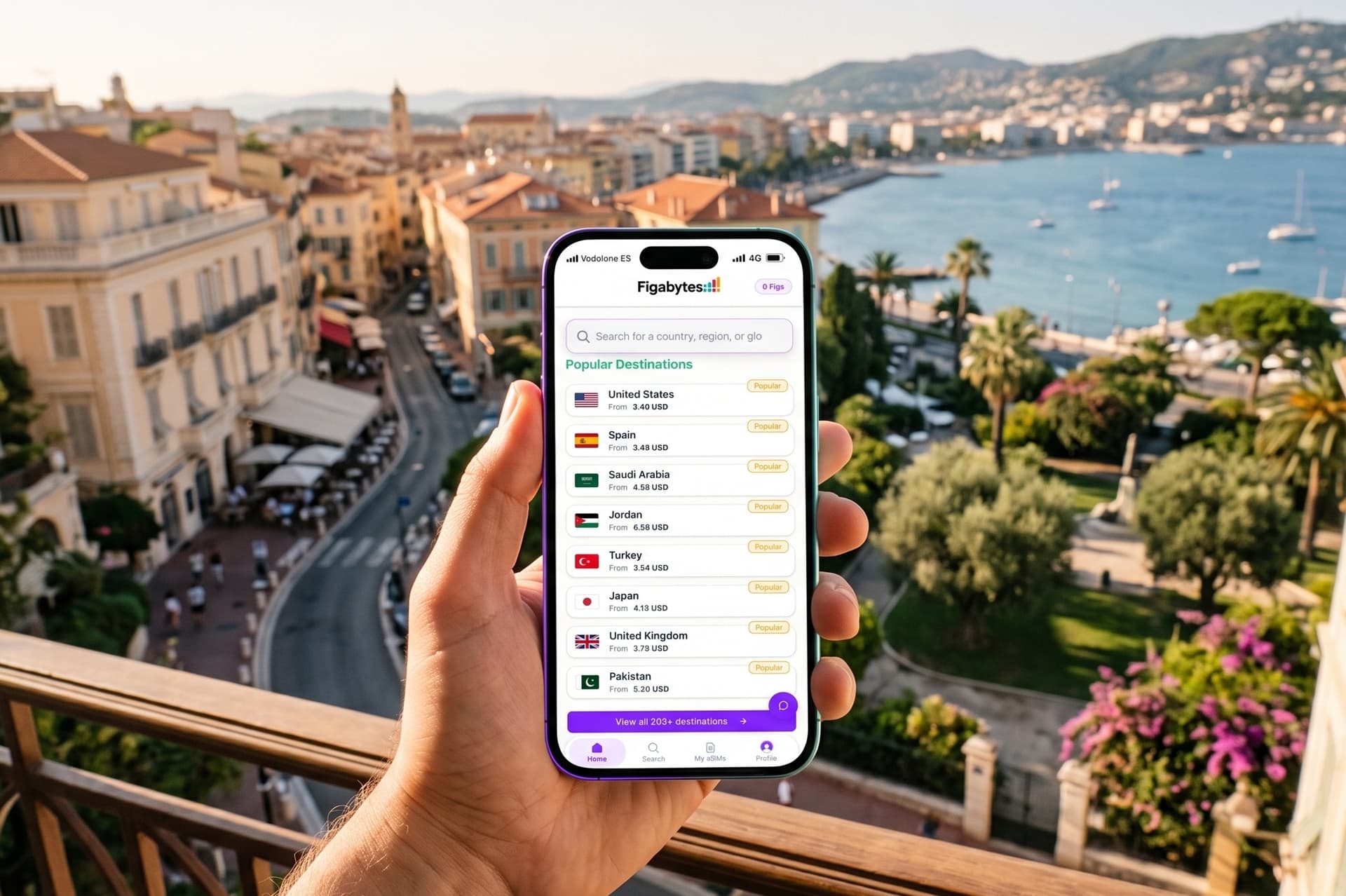
Travel eSIMs are particularly useful on iPhone because you can keep your normal mobile line while using a separate eSIM for travel data.
That means you can land in another country, connect your travel eSIM for mobile data and keep your primary number available for calls, messages, iMessage and other services.
The latest iPhones make this even more important.
Depending on where they are purchased, iPhone 17 models can be eSIM-only, while supported iPhones can store multiple eSIM profiles and newer models can keep two eSIMs active at the same time.
But choosing the best eSIM for iPhone is not simply about finding the cheapest data plan.
You should compare:
This guide explains how travel eSIMs work on iPhone and how to choose the right one for your trip.
The best travel eSIM for iPhone depends on your destination, data usage and preferred way of managing the service.
Figabytes may suit travelers who want to purchase and manage an eSIM through a website without downloading a dedicated app.
Airalo offers a large app and website ecosystem with country, regional and global plans.
Saily combines travel connectivity with app-based security features.
Nomad provides app and website management alongside fixed and unlimited plans.
Roamless is particularly useful for travelers who want one global eSIM with pay-as-you-go connectivity.
Ubigi offers a reusable eSIM with one-off, monthly and annual plans.
For iPhone users, compatibility is only the first step. The best provider is the one whose plan, network, validity and management model fit your actual trip.
| Provider | iPhone support | App required | Fixed data | Unlimited options | Reusable model | Best known for |
|---|---|---|---|---|---|---|
| Figabytes | Yes | No | Yes | Selected destinations | Eligible eSIMs | Website-first simplicity |
| Airalo | Yes | No | Yes | Yes | Limited by product | Large travel eSIM ecosystem |
| Holafly | Yes | No | Primarily unlimited model | Yes | Product dependent | Unlimited travel data |
| Saily | Yes | App-centered | Yes | Selected destinations | Yes | App + security features |
| Nomad | Yes | No | Yes | Yes | Add-on model | App/web flexibility |
| Roamless | Yes | No | Yes | Different model | Yes | Global pay-as-you-go |
| Ubigi | Yes | No | Yes | Selected products | Yes | Reusable and long-term plans |
Last checked: August 2026.
Most modern iPhones support eSIM.
Apple currently supports eSIM on iPhone XS, iPhone XS Max, iPhone XR and later compatible models, although regional differences apply.
Common compatible generations include:
Your iPhone must also be carrier-unlocked if you want to use a travel eSIM from a different provider.
Before buying a travel eSIM:
If your iPhone displays:
No SIM Restrictions
the device is unlocked.
If a carrier restriction appears, contact your mobile operator before purchasing an eSIM from another provider.
One quick check is:
You can also:
An EID indicates that the device contains eSIM hardware.
Regional model differences still matter, so verify the exact iPhone model if you are unsure.
Many iPhone 17 models are eSIM-only depending on where they were purchased.
Apple currently lists eSIM-only iPhone 17 generation models purchased in markets including:
Regional configurations can differ, so check the exact model and purchase country.
Yes.
Apple currently lists iPhone 17 generation models purchased in the United Arab Emirates among its eSIM-only configurations.
That means travelers using these models rely entirely on eSIM rather than a physical SIM card.
This makes understanding travel eSIM installation and Dual SIM settings increasingly important for UAE iPhone users.
Yes.
Apple currently lists Saudi Arabia among the markets where iPhone 17 generation models use an eSIM-only configuration.
Travelers should therefore make sure their destination carrier or travel eSIM provider supports their device before traveling.
Apple currently lists Japan among the markets where iPhone 17 generation models are eSIM-only.
This means a physical tourist SIM cannot be inserted into those models.
A local or international travel eSIM becomes the main prepaid connectivity option.
Yes, on supported models.
iPhone 13 and later models support Dual SIM using two active eSIMs.
This allows a useful travel configuration:
Home eSIM: calls, SMS and your normal number
Travel eSIM: mobile data
Only one cellular data network is used at a time.
Supported modern iPhones can store eight or more eSIM profiles.
You do not need to delete an eSIM simply because you are installing another one.
Only a limited number can be active simultaneously, but multiple profiles can remain stored on the device.
This is useful for frequent travelers.
You might keep profiles for:
and activate the appropriate ones when required.
No.
If your iPhone supports Dual SIM, you can keep your normal line and add a travel eSIM.
This is one of the biggest benefits of using an eSIM abroad.
Your home line can remain associated with:
while the travel eSIM handles mobile data.
A common setup is:
| Setting | Recommended line |
|---|---|
| Mobile data | Travel eSIM |
| Primary number | Home SIM/eSIM |
| iMessage | Existing number |
| FaceTime | Existing number |
| Data roaming on travel eSIM | On when required |
| Data roaming on home line | Off |
| Cellular Data Switching | Usually off if avoiding roaming |
The exact configuration depends on your carrier and travel requirements.
Before installation, make sure:
Figabytes currently supports QR and manual installation on iPhone.
Stay connected to Wi-Fi until installation finishes.
If your QR code is displayed on the same phone, you may not be able to point the iPhone camera at it.
You can instead:
For manual installation, Figabytes provides the required SM-DP+ Address and Activation Code.
For a Figabytes manual installation:
Your iPhone will download the eSIM profile.
Usually, yes.
Installing before departure gives you:
But installation and activation are not always the same thing.
Many travel eSIMs can be installed before departure without starting the plan immediately.
Always check the activation rules of the specific plan.
If you install your Figabytes eSIM before departure, you can leave the line turned off until needed.
After arriving:
Activation behavior can depend on the specific package.
Travel eSIMs often connect through partner networks rather than operating as the local network's direct retail SIM.
Because of this, Data Roaming may need to be enabled for the travel eSIM line.
This does not mean you should enable roaming on your home SIM.
You can have:
Travel eSIM Data Roaming: On
Home SIM Data Roaming: Off
This allows the travel eSIM to connect while helping prevent accidental roaming data charges from your home carrier.
After installation:
Your iPhone should then use that line for mobile data.
You can continue using your home line for other supported services.
If your goal is to prevent accidental international data charges, keeping Cellular Data Switching off can provide greater control.
With switching enabled, your iPhone may use another line for cellular data in certain circumstances.
Travelers who want all mobile data to remain on the travel eSIM should review this setting carefully.
iOS 26 introduced a more travel-aware eSIM experience.
If you install a travel eSIM before departure, your iPhone may recognize it as a travel line.
When you reach your destination, iPhone can prompt you to turn on the travel eSIM.
You may be offered options such as:
When both lines remain enabled, the travel eSIM can be selected for mobile data while the home line remains available.
Your iPhone may display a notification to turn on a previously installed travel eSIM when you arrive.
You can then follow the on-screen travel setup.
However, the provider's own activation conditions still apply.
iOS cannot override the validity or activation rules of the data plan you purchased.
With iOS 26, iPhone can automatically turn off the travel eSIM and return to your home line after you return, depending on your country or region and configuration.
If that does not happen:
You do not necessarily need to delete the travel eSIM.
Not automatically.
Some travel eSIMs can be reused, topped up or reinstalled.
Deleting an eSIM unnecessarily can create problems with providers that limit reinstallation.
Before deleting it, check whether:
Turning the line off is often enough.
Eligible Figabytes eSIMs can.
Figabytes uses statuses including:
If your eSIM shows Reinstall, it may be installed again on a compatible device.
Not every Figabytes eSIM is reusable.
Eligible Figabytes eSIMs can be reinstalled on another compatible device.
The eSIM can only be installed on one device at a time.
Reinstallation does not:
The eSIM remains associated with the original Figabytes account.
An eligible Figabytes eSIM in Reinstall status can be installed on another compatible device, including a family member's, friend's or travel companion's phone.
It can only be installed on one device at a time.
The original Figabytes account remains the owner and can continue monitoring the eSIM's status and usage.
Figabytes is one option for travelers specifically looking for an eSIM without a dedicated app.
The service is managed through:
Installation on iPhone can be completed through QR or manual activation details.
Other providers may also support web purchasing or QR installation even when they offer an optional app.
App availability and app requirement are therefore different things.
Several travel eSIM providers offer dedicated iPhone apps.
Examples include:
Airalo: large app-based travel eSIM marketplace.
Saily: app-centered connectivity with additional security features.
Nomad: app and website management.
Roamless: app with global pay-as-you-go balance and calling features.
Ubigi: app for balance, plan and top-up management.
An app can be convenient for frequent travelers, but it is not necessary for every user.
Travelers who use large amounts of data can compare unlimited plans from providers such as:
Availability differs by destination.
Do not compare unlimited plans only by price.
Check:
An unlimited plan may still reduce speed after a daily high-speed allowance.
Light users may be better served by a small fixed-data package.
For example:
may be sufficient for travelers mainly using:
Buying unlimited data is unnecessary if most of your trip is spent on hotel or café Wi-Fi.
Heavy users should consider:
This may apply if you frequently use:
Compare high-speed limits before assuming an unlimited plan provides the best experience.
For multi-country travel, compare regional or global plans.
A regional eSIM can be particularly useful for trips such as:
France → Italy → Switzerland → Spain.
Instead of installing a new eSIM at every border, one supported regional plan can continue providing data.
Figabytes offers country, regional and global products.
Other providers including Airalo, Saily, Nomad, Roamless and Ubigi also offer different forms of multi-country connectivity.
Always compare the actual included countries.
A regional Europe eSIM can be useful if your itinerary includes several European countries.
Do not assume every Europe plan covers the same destinations.
Check whether your itinerary includes countries that sometimes differ between provider lists, such as:
Also compare local networks and data allowances.
Japan has several competitive travel eSIM options.
Providers to compare include:
Ubigi has a particularly established Japan proposition, while Figabytes offers both fixed-data and unlimited options.
Compare the actual local networks as well as price.
Turkey has competitive fixed-data and unlimited travel eSIM plans.
Travelers should install before departure where possible.
Compare:
Regional Europe plans may also include Turkey, but not every provider defines Europe the same way.
UAE travel requires more preparation than some destinations because certain international eSIM providers face local purchase or website restrictions.
For example, some providers advise travelers to purchase and install before entering the UAE.
Buying your travel eSIM before flying to Dubai or Abu Dhabi is therefore a sensible approach.
Check the provider's current UAE-specific restrictions before departure.
International roaming uses your existing mobile provider.
A travel eSIM adds another mobile plan to your iPhone.
| Travel eSIM | International roaming |
|---|---|
| Separate travel data plan | Existing home plan |
| Choose data before trip | Carrier determines roaming package |
| Can keep primary line | Primary line remains active |
| Destination/regional plans | Carrier-specific coverage |
| Requires setup | Often automatic |
| Pricing varies by provider | Pricing varies by home carrier |
Roaming can still be the better choice when your home plan already includes affordable international data.
| Travel eSIM | Physical SIM |
|---|---|
| Digital | Physical card |
| No SIM swap | Requires SIM tray |
| Buy online | May require store/airport purchase |
| Install before travel | Often installed after purchase |
| Multiple profiles can be stored | Physical cards must be carried |
| Essential for eSIM-only iPhones | Not supported on some newer models |
For eSIM-only iPhone models, a physical travel SIM is not an option.
Yes.
Dual SIM lets you keep your primary line while using another line for data.
Your existing number can remain available for calls and messages depending on your home carrier and configuration.
Be aware that your carrier may still charge international roaming fees for activity on the home line.
No.
WhatsApp is associated with your registered phone number rather than whichever SIM currently provides mobile data.
You can generally keep using the same WhatsApp account while your travel eSIM supplies internet access.
Yes, in a properly configured Dual SIM setup.
Apple specifically supports using a travel eSIM for data while continuing to use services such as iMessage and FaceTime with the home line.
Review your Messages and FaceTime settings before travel if maintaining the same number is important.
Potentially, yes, if your primary SIM or eSIM remains active and your carrier supports receiving SMS while abroad.
However, roaming charges or carrier restrictions may apply.
A common setup is:
Home line: active for SMS
Data roaming on home line: off
Travel eSIM: mobile data
Check your home carrier's roaming policy before relying on SMS abroad.
Many travel eSIMs support Personal Hotspot, but the provider and plan determine whether tethering is permitted and whether limits apply.
This is especially important with unlimited plans.
Some providers may offer unlimited phone data but limit hotspot usage.
Check the plan before purchasing if you need to connect:
It can.
5G depends on:
Having a 5G-compatible iPhone does not guarantee that every travel eSIM will connect to 5G.
Check these common causes:
Do not immediately delete the eSIM.
Deletion can make recovery more difficult if the provider does not allow unlimited reinstallation.
Possible causes include:
Confirm that your iPhone is unlocked and eSIM-compatible before troubleshooting the provider itself.
If your travel eSIM shows network bars but data does not work:
Automatic network selection is normally the best starting point.
If the travel eSIM cannot connect, your provider may recommend manually selecting one of its supported local networks.
Do not randomly select carriers that are not supported by your plan.
Yes.
Supported iPhones can store eight or more eSIM profiles.
This can be useful for frequent travelers who want to keep several travel profiles installed.
You only activate the lines needed for the current trip.
Supported newer iPhones can have two eSIMs active simultaneously.
However, your iPhone uses one cellular data network at a time.
Two active lines can still be useful when:
eSIM has a security advantage over a removable physical SIM because it cannot simply be removed from a lost or stolen iPhone.
That does not make the entire mobile connection immune to fraud or security risks.
Continue using normal device protections such as:
Start with five questions.
Check whether you need:
coverage.
A useful starting point is:
| Travel style | Suggested data |
|---|---|
| Very light | 1 to 3 GB |
| Light | 3 to 5 GB |
| Moderate | 5 to 10 GB |
| Heavy | 10 to 20 GB+ |
| Streaming / remote work | Large plan or unlimited |
Make sure validity covers your entire trip.
If yes, providers such as Airalo, Saily, Nomad, Roamless and Ubigi offer app-based experiences.
If not, Figabytes can be managed through the web without a dedicated app.
Check whether the provider supports:
Do this before deleting the profile.
There is no single travel eSIM that is best for every iPhone user.
The right choice depends on your trip.
Figabytes focuses on website-first travel connectivity without requiring an app.
Airalo offers a broad app and web ecosystem.
Holafly emphasizes unlimited travel data.
Saily combines connectivity with security features.
Nomad combines website and app management with fixed and unlimited plans.
Roamless offers a distinctive global pay-as-you-go model.
Ubigi focuses strongly on reusable connectivity and longer-term plan options.
The iPhone itself makes switching between these types of services relatively flexible.
For most travelers, the most useful setup is:
keep your normal line for your number
plus
use a travel eSIM for mobile data.
Then compare providers based on:
destination + network + data + validity + price + management preference.
There is no universal best provider. Compare Figabytes, Airalo, Holafly, Saily, Nomad, Roamless and Ubigi based on your destination, data requirement, validity, networks and preferred management method.
Apple supports eSIM on iPhone XS, XS Max, XR and later compatible models, subject to regional variations.
Yes. The iPhone 17 generation supports eSIM, and models sold in several markets are eSIM-only.
Apple currently lists iPhone 17 generation models purchased in the UAE among its eSIM-only configurations.
iPhone 13 and later support two active eSIMs.
Supported modern iPhones can store eight or more eSIM profiles.
Yes, on supported Dual SIM iPhones.
Usually, yes. Installing before departure gives you reliable Wi-Fi and more time to troubleshoot.
Not necessarily. Installation and plan activation are separate for many providers. Check the individual plan.
Many travel eSIMs require Data Roaming to be enabled on the travel line. Keep unwanted roaming disabled on your home line.
Yes. Your WhatsApp account normally remains registered to your existing phone number.
Potentially, yes, if the home line remains active and your carrier supports roaming. Carrier charges may apply.
Yes. iPhone can use travel-eSIM data while keeping iMessage associated with your existing line.
Many travel eSIMs support hotspot, but limits vary by provider and plan.
Yes, when supported by the iPhone, local network and travel eSIM plan.
Not automatically. Some eSIMs are reusable or can receive future plans. Check the provider's policy before deleting the profile.
Eligible Figabytes eSIMs showing Reinstall status can be installed again on a compatible device.
No. Figabytes is managed through the website and My eSIMs.
Yes. An unlocked eSIM-only iPhone can use compatible eSIM services from supported providers internationally.
It can be, but not always. Compare the travel eSIM price with your home carrier's roaming package for the same destination and expected usage.
Check:
A few minutes of preparation before departure can prevent most travel eSIM problems after landing.
Information was checked against current primary documentation in August 2026.
Apple:
Figabytes:
Provider features referenced in the comparison were checked against current official information from Airalo, Holafly, Saily, Nomad, Roamless and Ubigi.
Last checked: August 31, 2026.
iPhone compatibility, regional SIM configurations, provider plans, network partners and iOS features can change. Check Apple and the travel eSIM provider before purchasing.

